Basic Linux Commands

I am an Associate Platform Engineer with 2.4 years of experience in IT, specializing in Linux administration, Cloud, and Big Data. With a strong focus on managing Linux servers and Cloudera Applications. My skill set includes a basic understanding of AWS Cloud services such as EC2, IAM, VPC, as well as DevOps tools like Ansible, Git, Jenkins, Docker, Kubernetes, and Containers.
Certifications: Red Hat Certified System Administrator | Red Hat Certified Engineer | Red Hat Certified Specialist in Ansible Automation (EX-407) | Certified Kubernetes Administrator (Certification ID: LF-pe1lwgmff0)
#90DaysOsDevOps Challenge Day 3
Task: What is the Linux command to
To view what's written in a file.

To change the access permissions of files.

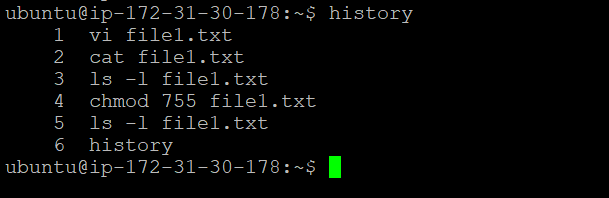
To check which commands you have run till now.
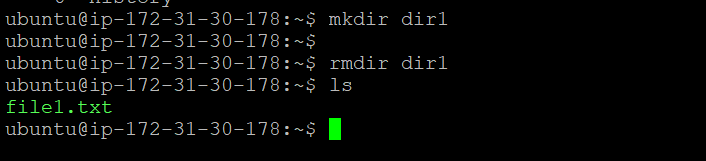
To remove a directory/ Folder.
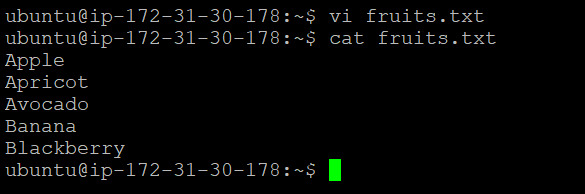
To create a fruits.txt file and to view the content.
Add content in devops.txt (One in each line) - Apple, Mango, Banana, Cherry, Kiwi, Orange, Guava.

To Show only top three fruits from the file.

To Show only bottom three fruits from the file.

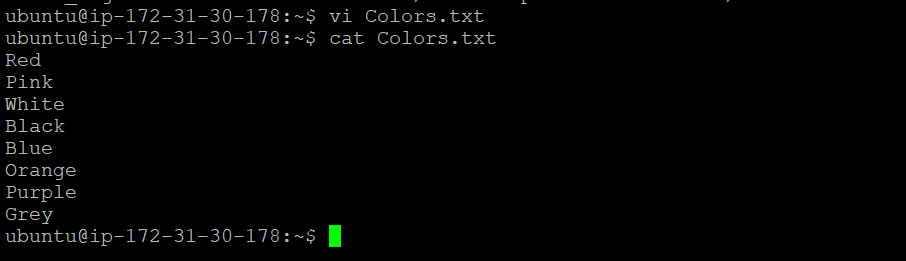
To create another file Colors.txt and to view the content

Add content in Colors.txt (One in each line) - Red, Pink, White, Black, Blue, Orange, Purple, Grey.
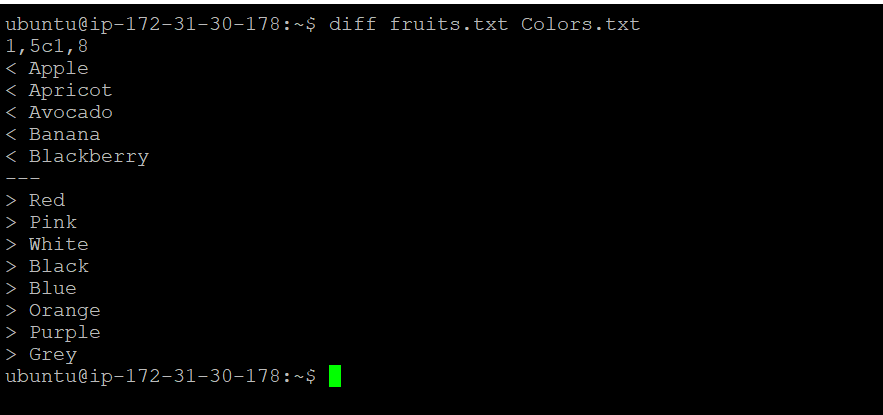
To find the difference between fruits.txt and Colors.txt file.